





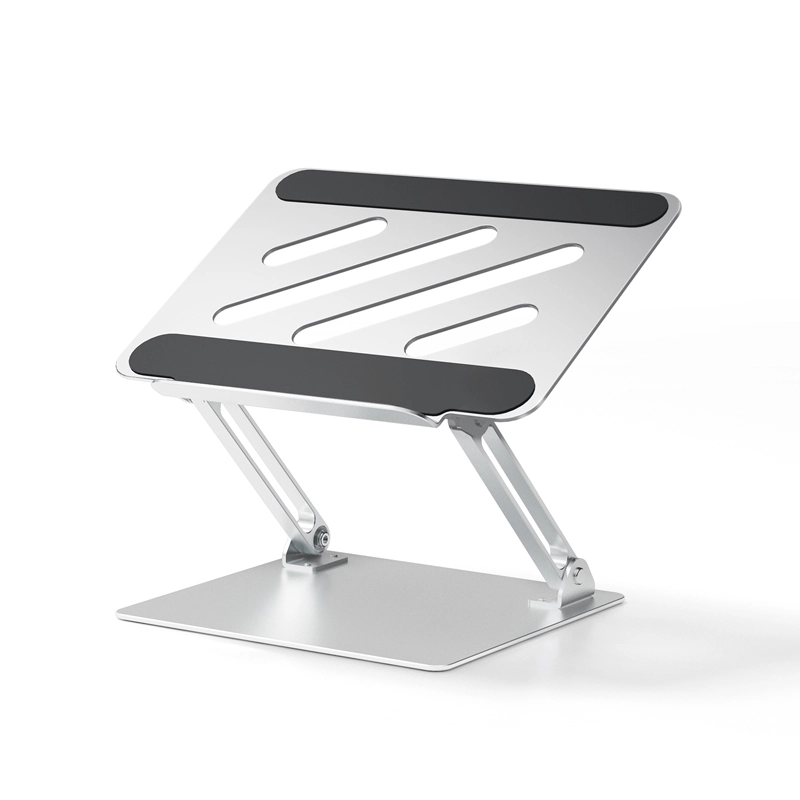
ZUERST - RN30 Laptop Stand For Office Multi-Angle Adjustment
Equipped with high-friction silicone pads at every contact point, your laptop stays firmly in place. These soft yet grippy strips also protect your device from scratches, slips, and sliding—even when typing at an angle.
🔹5.Optimized Airflow – Stay Cool Under Pressure
The ventilated Z-design allows air to flow freely beneath your laptop, promoting natural cooling and preventing thermal throttling. Perfect for power users, gamers, and professionals alike.
| Shipping Country/region | Estimated Delivery Time | Shipping Cost |
|---|
Easy dual screen setup
Streamline your workflow with this dual-screen setup solution. The adjustable aluminum laptop stand elevates your device to perfectly align it with an external monitor, creating an ergonomic and organized workspace. Perfect for professionals, creators, and multitaskers, it enables smooth switching between screens to boost productivity, making multitasking easier and more efficient than ever before.
Excellent quality
This stand is made of sturdy and lightweight aluminum alloy with an anodized surface for excellent quality. It has a sturdy support structure that will not shake, and the silicone material is high-strength non-slip silicone. Even if you place a computer or tablet on it, it will not move easily, effectively protecting your device.
The panel adopts efficient ventilation and heat dissipation design
The design of this product is based on the heat dissipation position and direction of the computer. The panel is hollowed out at the heat dissipation position of the computer. This design makes the computer's heat dissipation more efficient.
Adjust to your perfect working angle
This portable, foldable and adjustable laptop stand allows you to easily raise and lower your device to the optimal height and angle for increased comfort and productivity. Whether you need a high, low or compact folded position, it can easily adapt to your preferences. Whether in a work, study or gaming environment, it can effectively reduce stress and improve ergonomics.
Ultra-stable structure, can easily carry 10kg
Made of durable aluminum alloy, this desktop laptop stand is strong enough to easily support up to 10 kg (22 lbs). Its dual-pole support, sturdy metal hinges and anti-skid pads provide a safe and stable base for your laptop, ensuring it stays stable during intense work or gaming. Designed to keep your device safe and stable, it's the ultimate support for productivity and performance.
Ergonomic design
The infinite lifting design can effectively protect your neck and can be easily adjusted to your comfortable working angle to improve your work efficiency
Product Dimensions